
External Storages
External Storages are existing data storages you already own — as an individual astronomer or as an organisation running Arcsecond.local. You attach them to your install so their content is indexed alongside the data Arcsecond.local holds itself. There is no limit on the number of storages you can attach.
Attached storages are read-only: Arcsecond.local never modifies anything in them. Credentials are provided once, then stored encrypted and securely sealed (read more in Credentials & Security).
Find tutorials on how to provide credentials for your external storages in:
- Amazon AWS S3 buckets
- Dropbox
- Local disk
- FTP
- SFTP
- Azure (
in preparation) - Archives (ESO, CADC, HST, etc —
in preparation)
Based on the storages it can reach, Arcsecond.local extracts and organises information about your nights and observed targets.
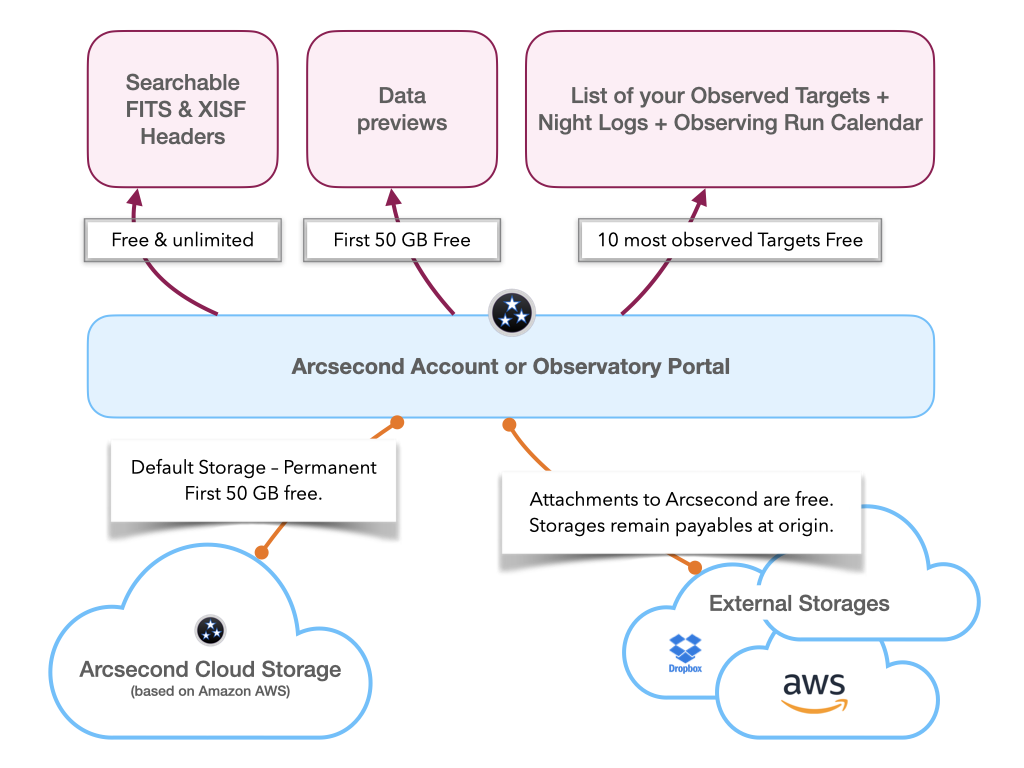
Arcsecond.local scans and parses the content of external storages, exactly as it does for the data stored on the install itself. This parsing lets it:
- extract FITS- and XISF-file headers, for easy searching in the web interface,
- create 2D-image and 1D-spectrum previews,
- build your personal list of all your follow-up targets, associated with their data — combining everything the install holds and every external storage you have attached,
- reconstruct your observing nights (when possible).
INFO
We are working on an option to restrict the parsing to specific (sub)folder(s).